Step 2: Decide Whether to Use Account Numbers
You have a choice to include Account Numbers in your Chart of Accounts structure, or organize Chart of Accounts in alphabetical order (this can be changed later, if needed, using Change Account Number Structure). After you complete Step 1: Set the Accounting Year, a message will prompt you with the question "Will you be using account numbers for your Accounts?"
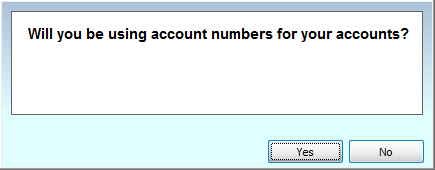
In this step, apply your decision of either using numbers in your Chart of Accounts, or not, by clicking Yes or No.
To decide on whether or not to use numbers in your Chart of Accounts, examine your personal list of accounts to be added to the Chart of Accounts in the software.
- If, for example, you find that your Chart of Accounts is very small and straightforward, you might not need numbers.
- On the other hand, you might find that having Account Numbers will help make more straightforward a seemingly more complex Chart of Accounts structure.
Note:
Church Windows is set up to accommodate the use of account numbers for any
Church that uses a numbering system to organize the list of accounts, labeled in the software as the Chart of Accounts. If you choose to use account numbers, the Chart of Accounts will be organized in numerical order. Otherwise, the Chart of Accounts will be organized in alphabetical order by account name when you finish the setup wizard.
If you choose Yes, you will be brought to a screen to specify the structure of the account numbers you wish to use in the Chart of Accounts.

- Type any combination of '#' (pound signs) for your account number placeholders and '.' (decimal points) for any separators you wish your account numbers to have.
- The account number can have from 3 to 12 placeholders and up to 5 separators.
- When you are finished typing your desired account number structure, click the Use this Structure button.
- If you click No, you will not be asked to enter any information regarding an account number structure. Instead, you will be brought to the Setup Chart of Accounts screen to begin Setting up Main Funds.
Once you have made your numbering decisions, proceed to the next step —
Step 3: Set up your Funds and Income/Expense Accounts
